WasapFlow Bridge connects your software to Meta's official WhatsApp Business Platform. Before you connect your customers' numbers through us, you should be able to check who we are. This page shows what Meta has verified, and how to confirm it yourself.
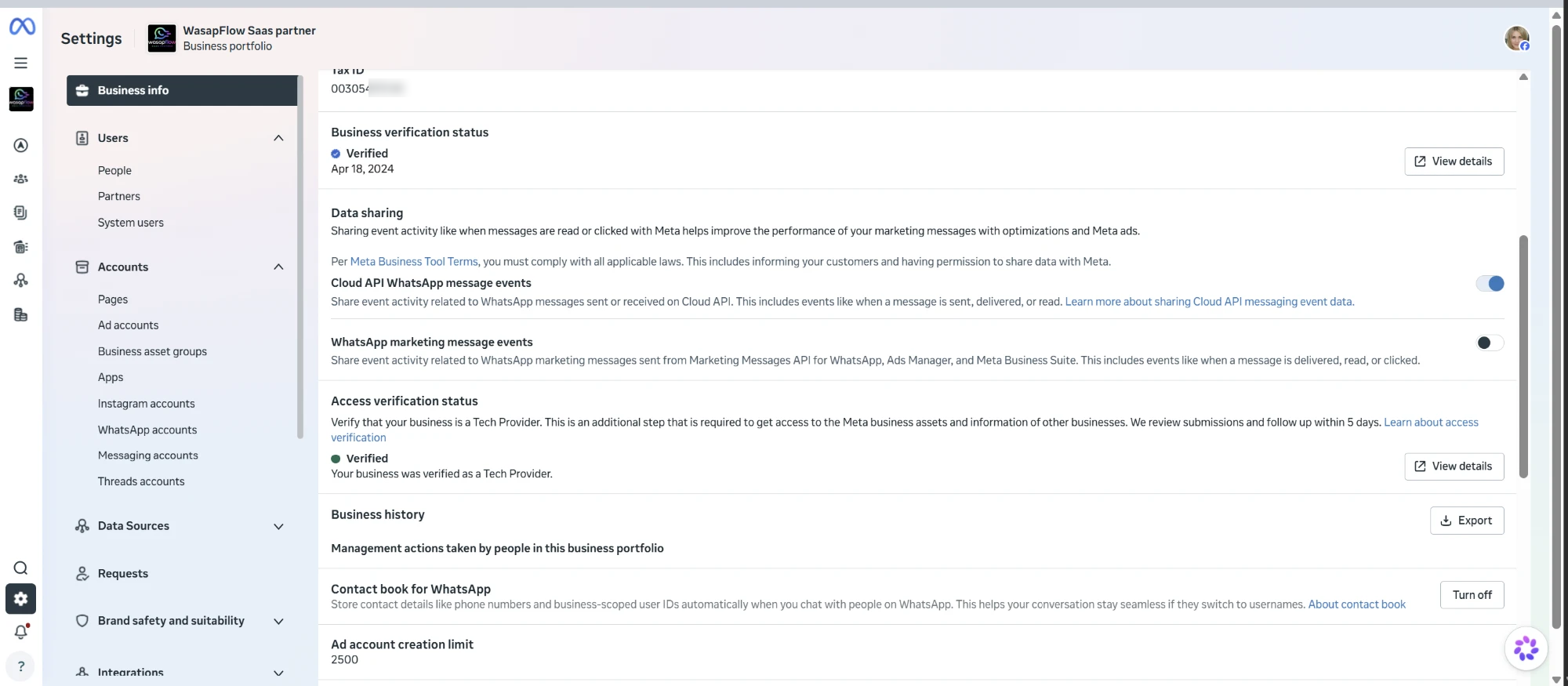
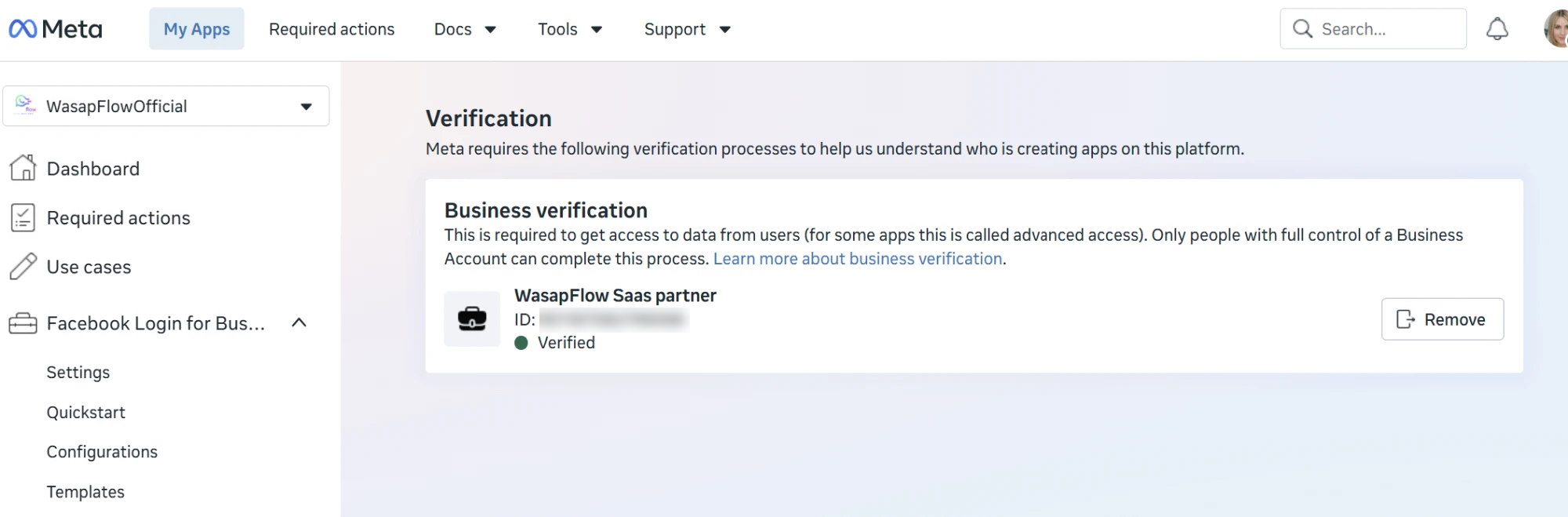
Our Meta business portfolio passed Meta Business Verification on 18 April 2024.
Meta verified our access as a Tech Provider, which allows us to onboard other businesses' WhatsApp accounts.
Every number connects through Meta's own Embedded Signup and runs on the official WhatsApp Cloud API. No unofficial or QR-based connections.
To prevent misuse, we show only part of each ID publicly. Partners who need the full IDs for their own compliance review can request them from [email protected].
| Legal entity | KOBARAN TEGUH SDN. BHD. (202601001919 / 1664016-P), Malaysia. WasapFlow is a product of this company. |
|---|---|
| Registered address | No. 49, Jalan SILC 2/16, Taman Perindustrian SILC, 79200 Iskandar Puteri, Johor, Malaysia |
| Meta business portfolio | WasapFlow Saas partner ID 9511 •••• •••• 068 |
| Business verification | Verified · 18 April 2024 |
| Access verification (Tech Provider) | Verified · "Your business was verified as a Tech Provider." |
| Meta app | WasapFlowOfficial App ID 6459 •••• •••• 930 |
| Platform | WhatsApp Business Platform · Cloud API · Embedded Signup v5 (Coexistence and standard numbers) |
Taken from our Meta Business Settings and Meta App Dashboard. Some IDs are blurred on purpose.
Screenshots can be faked. Meta's own signup popup cannot, so this is the strongest check.
We can send the full IDs, our Data Processing Agreement and written answers to your security questionnaire.
Start free — 3 days, no card Data Protection & DPA Contact us